
How do I connect a MAG box to iPtvie?
A MAG box connects with its MAC address and a portal address, without a username or password. Here is how, step by step.
A MAG box connects with its MAC address and a portal address. You give us the box's MAC address when you order, and then enter the portal address in the box's settings. The box needs neither a username nor a password.
The account is locked to the box
An account for a MAG box only works on that box. It can't be used in apps on your phone, tablet or computer. Want to watch on more devices? Add a screen for an app in My iPtvie.
Step 1: Find the box's MAC address
The MAC address is on the label on the underside of the box and on the packaging. It is twelve characters in pairs, for example 00:1A:79:12:34:56.
Step 2: Enter the MAC address when you order
- Choose MAG box under Device at checkout.
- Fill in the box's MAC address, exactly as it is written on the label.
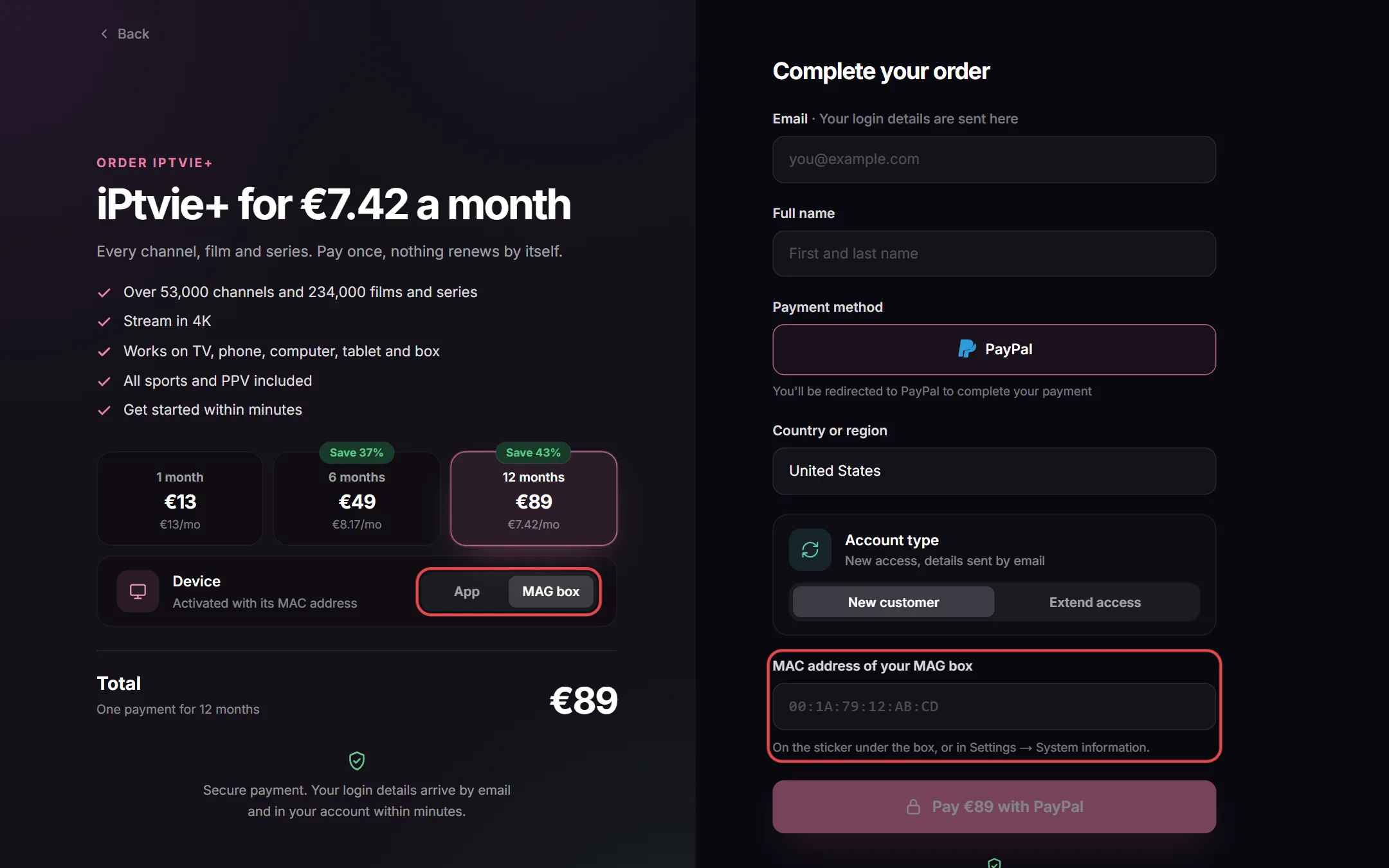
Renewing? Choose MAG box under Device and enter the same MAC address, and the box keeps working. Already a customer and want to connect a new box? Write to us in the chat in My iPtvie.
Do you have a Formuler box?
A Formuler with MYTVOnline doesn't count as a MAG box. Choose App at checkout and follow the Formuler guide.
Step 3: Get the portal address
Write to us in the chat in My iPtvie and we send you the portal address for your box. Tell us the MAC address on the box's label too, so we can check it matches the one on your order.
Step 4: Enter the portal on the box
- Open the box's settings and select System settings.
- Go to Servers → Portals.
- Fill in:
| Field | What to enter |
|---|---|
| Portal 1 name | iPtvie |
| Portal 1 URL | The portal address you got from us |
- Save with OK.
- Restart the portal, or restart the box.
When the box has started, the channels load. Films and series are in the portal's own menu.
Frequently asked questions
The box says it is blocked or can't find the portal
Check two things: that Portal 1 URL is exactly the portal address we sent, and that the box's MAC address is the one you entered when you ordered. If it doesn't match, write to us in the chat and we will correct it.
I have changed box
The new box has a different MAC address. Write to us in the chat in My iPtvie with the new address and we will move the account.
Can I use the account on my phone too?
No, an account for a box is locked to the box. Add a screen in My iPtvie and choose App as the device, and you get details that work in apps on phones, tablets and computers.
I have a TVIP box
TVIP has its own menus and can also connect with an M3U link. Follow the TVIP guide.
Do I need a box at all?
No. Most people watch in an app on the TV, phone or computer. See Do I need an IPTV box?.
Summary
- A MAG box connects with its MAC address, without a username or password
- Choose MAG box at checkout and fill in the box's MAC address
- Enter the portal address under System settings → Servers → Portals and restart
- The account is locked to the box